
Batch media tool

AutoEdit

A private editor for BKG videos. It takes raw clips or scene assets, voiceover, BGM, and watermark files, then assembles review-ready vertical exports.

Overview

Folder to export

AutoEdit checks whether a project folder is ready, lines up the voiceover with scene media, trims or loops clips where needed, adds subtitles, mixes BGM, applies watermark/CTA assets, and exports the final video.
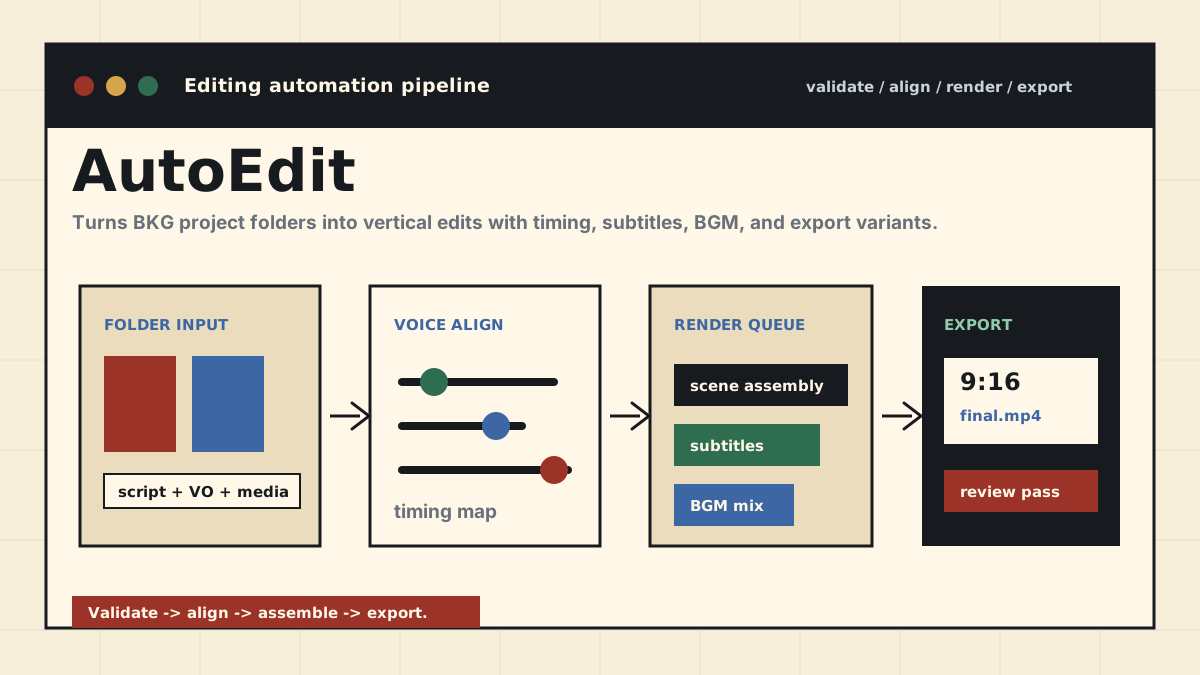
AutoEdit diagram with folder validation, voiceover alignment, scene assembly, subtitle pass, BGM mix, and export review
Flow: project validation, voiceover timing, scene assembly, subtitles, BGM mix, and review exports.
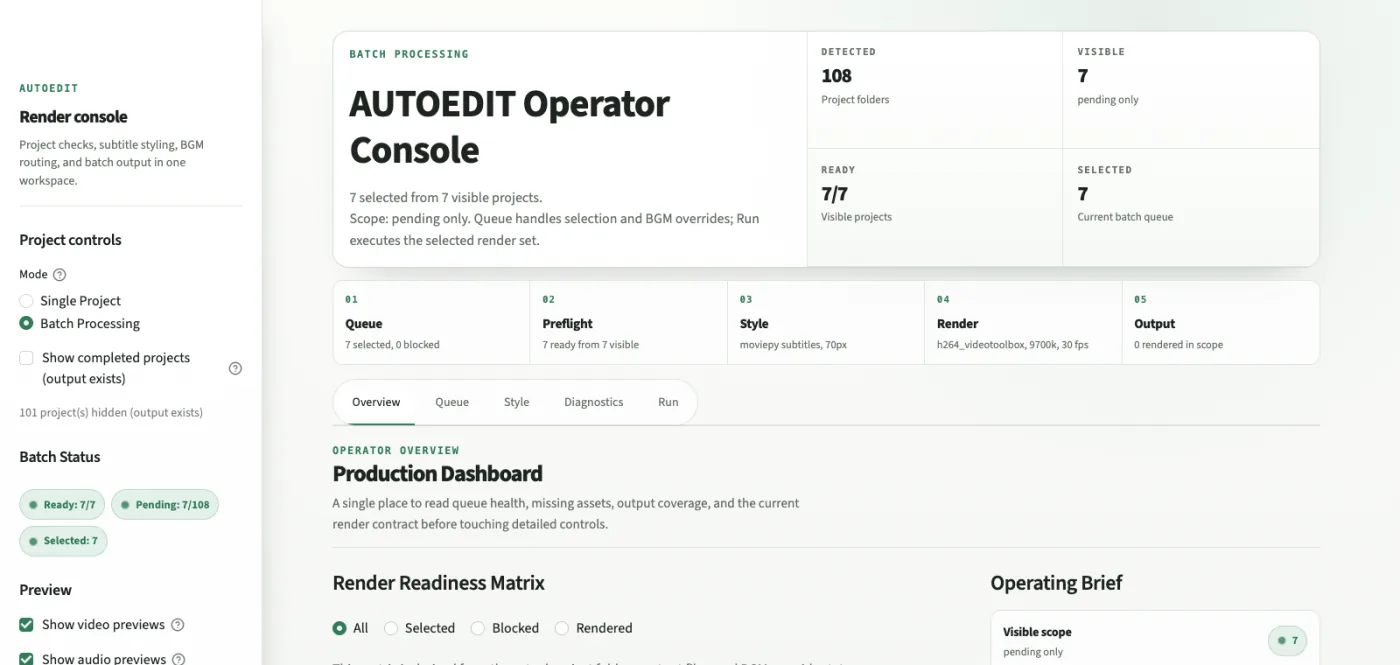
AutoEdit console showing batch processing status, readiness steps, render queue, and output controls
Demo UI: batch console for project checks, readiness state, queue selection, render scope, and output controls.
Scope
Downstream editor for BKG video projects
Role
Built folder validation, batch review UI, render settings, output controls, and export checks
Outcome
Turns folder checks, voiceover timing, subtitles, BGM, watermark setup, and export review into one batch run
Stack
Python, FFmpeg, Whisper alignment, React web console, local media tooling
Workflow
Raw clips or scene assets, voiceover cleanup/alignment, BGM, subtitle generation, watermark/CTA overlay, export variants, and review pass
Status
Private tool

Why it exists

Less setup work

The manual version is checking source files, matching voiceover timing to scene media, adding subtitles, mixing BGM, placing the watermark/CTA, and exporting. AutoEdit turns that into a project folder check, batch run, and review-ready export.